
Waze Navigation & Live Traffic
WazeMaps & Navigation
4.4640.58K Reviews
- Version
- Varies With Device
- Installs
- 500.00M
- Age Rating
- Everyone
Screenshots
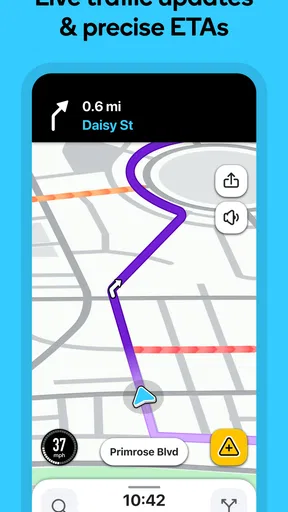
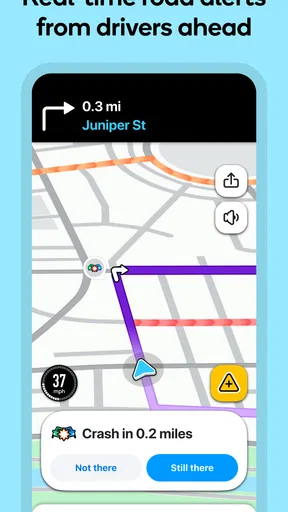
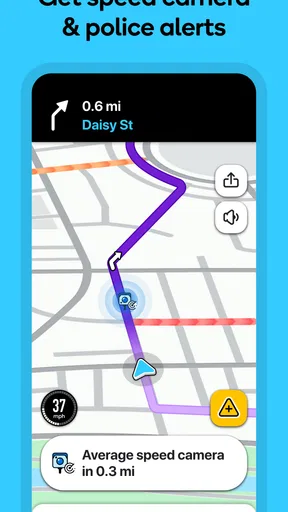
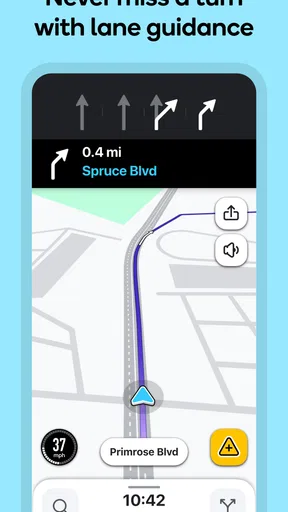
Our Review of Waze Navigation & Live Traffic
 Analysis by Appyee
When I judge a navigation app, I pay attention to more than whether it draws a route: I want to know if its directions are easy to follow, whether its alerts help without becoming distracting, and how well it fits the trip I actually need to make. Waze Navigation & Live Traffic is built around changing road conditions and reports from people using the same roads. That gives it a distinctive role in everyday driving, although it also means the experience depends on what is happening around you and how much attention you can safely spare.
Readable directions when the route gets busy
As a Maps & Navigation app from Waze, it puts turn-by-turn guidance and current traffic information at the center of the experience. I find that combination most useful when a familiar journey suddenly becomes unpredictable: a queue forms, a road is blocked, or the quickest-looking route stops moving. Instead of treating navigation as a fixed set of turns, Waze can respond to live reports and suggest another way through.
The map uses icons and route lines to convey information quickly, which is helpful when I only have a moment to glance at the screen. Still, a clear map is not automatically an accessible one for every driver. Small labels, several nearby turns, bright visual changes, or a busy screen can be difficult to parse at a glance, particularly in an unfamiliar area. I would check the route and destination before setting off rather than trying to study the display while moving.
Voice guidance can reduce how often I need to look at the map, and I prefer to listen for the next instruction before a complicated junction rather than wait until I reach it. The practical test is whether the spoken cue arrives in time and makes sense alongside the road signs. When a direction sounds ambiguous, I follow the road safely and reassess when stopped; no navigation prompt should override what I can see around me.
Hands, hearing, and attention on the move
Voice-led directions are useful for people who would rather not keep touching a phone during a drive, but they do not make every interaction hands-free or remove the need for attention. Choosing a destination, responding to a prompt, or entering a report can still call for screen interaction. I would set everything up before moving and avoid typing or tapping while driving. If someone else is in the car, asking them to handle a change is a safer way to keep the driver focused.
Sound is not equally useful in every cabin. Road noise, passengers, music, or hearing differences can make spoken instructions harder to catch, while a driver who relies on visual cues may need to glance at the screen. Neither channel should be treated as a complete substitute for awareness: I use the voice prompt as a reminder, then rely on the actual road layout, signs, and traffic. If I cannot comfortably follow both the app and the road, I stop somewhere safe before adjusting anything.
The live-reporting approach also asks users to contribute information. That can make Waze feel responsive, but reporting while driving creates an obvious attention trade-off. A report is useful only if it can be made safely; I would leave it to a passenger or wait until parked. People who find frequent alerts distracting may prefer a quieter navigation experience, even if it means receiving fewer community updates.
When live routing helps—and when it may not
A realistic use case is a weekday trip across town when a usual road slows down unexpectedly. I can enter the destination before leaving, keep the voice guidance on, and let the route respond as conditions change. If I am meeting someone, sharing an estimated arrival can save a string of “Where are you?” messages. For an unfamiliar appointment, I would still check the destination and leave enough time to handle a last-minute change rather than assume the app can eliminate every delay.
Compared with a more traditional map app, Waze’s strongest distinction is its community-sourced view of what is happening on the road now. That can be valuable for drivers who regularly encounter congestion or changing conditions. A conventional map-focused alternative may feel more suitable when I want a calmer overview, broader trip planning, or a less report-driven interface. The better choice depends on the journey: Waze is compelling when live road context matters, not automatically for every kind of navigation.
It is also worth thinking about the setting. In a busy city, reports and route changes can be especially relevant; on a quiet road, there may be less community activity to shape the experience. Frequent detours can save time in one situation and add unfamiliar turns in another. I would not follow a suggested shortcut blindly through a place or maneuver that feels unsafe. The fastest route on a screen is not always the most comfortable route for the person driving it.
Getting Started with Waze
First things first, downloading Waze Navigation & Live Traffic is a breeze. Available on both Android and iOS, it’s a quick install and doesn’t take up a ton of space. Once you’ve got it, setting up your profile is straightforward. You can even sync it with your Facebook account for a more personalized experience. The interface is clean, and the icons are intuitive, so you’ll have no trouble finding your way around.
Making the display work for your trip
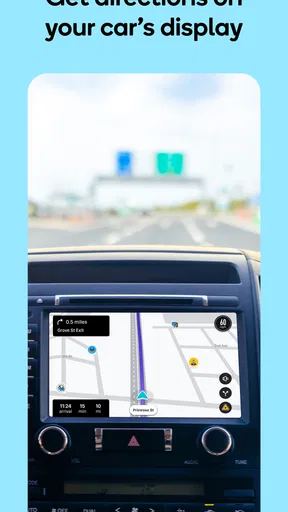
Before a drive, I would spend a moment confirming the destination, scanning the proposed route, and choosing whether voice prompts are comfortable for the trip. That small routine matters more than it sounds: it gives me a chance to spot an unexpected route before traffic demands my attention. If the map feels visually crowded, I rely on the next spoken instruction and keep screen checks brief, doing any closer inspection only when safely stopped.
Waze is free, rated for Everyone, and has a 4.1 average from around 8.8 million ratings. It has been installed over 500 million times, which suggests it is a familiar option for many drivers, but popularity does not tell me whether its interface suits a particular person. I would judge that by trying a short, familiar drive first, with the phone positioned so it can be checked without reaching or blocking the view.
Features That Make Waze Stand Out
What sets Waze apart from other navigation apps is its real-time, community-driven updates. Imagine having thousands of eyes on the road, all feeding you the latest info. From road closures to hidden speed traps, Waze users are like a friendly neighborhood watch. I’ve found myself dodging traffic jams and avoiding accidents thanks to these timely updates.
Those reports are helpful signals, not guarantees. Conditions can change after a report, and an alert does not replace checking signs or obeying the rules of the road. I treat a warning as a reason to pay closer attention rather than as proof that a hazard is still present. This distinction matters most when a route changes quickly or an alert appears in a place where I already need to watch for traffic and pedestrians.
Another feature I love is the ETA sharing. You can let your friends or family know exactly when you’ll arrive, which is super handy if you’re running late, not that I ever am, of course!
For a meet-up, sharing an arrival estimate can make coordination easier, especially if traffic changes after I leave. I would use it as a practical heads-up, not a promise of an exact arrival time. If plans change, the useful part is keeping the other person informed rather than trying to make up time on the road. It is a small convenience that works best when it reduces pressure instead of adding it.
Choosing guidance that fits your senses
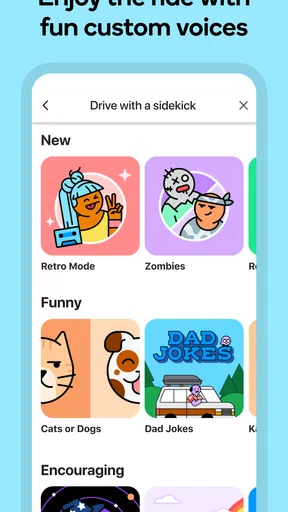
Voice options can make a long drive feel less monotonous, but the important point for me is whether the directions are understandable in the conditions I am driving in. I would try the guidance at a comfortable volume before relying on it for a complex route. If I miss a cue, I do not try to catch up by staring at the phone; I keep driving safely and use the next opportunity to reassess.
For someone who has difficulty reading small text or distinguishing map details, voice directions may help, but they do not resolve every barrier. A person who has trouble hearing speech may find the reverse: visual cues matter more, yet checking a screen can be demanding. The app’s usefulness is therefore personal and context-dependent. A passenger can help by reading instructions or handling reports, while a driver travelling alone should keep interactions simple and prepare before departure.
On the Road Experience
Once you hit the road, Waze really shines. The voice-guided navigation is clear and precise. You can even choose different voices, including some fun celebrity options. I had Arnold Schwarzenegger’s voice guiding me once, and it was hilarious! The app is highly interactive, encouraging user feedback, which keeps the information fresh and accurate.
The lively, interactive side is also where I see a real trade-off. Community input is part of what makes the app feel current, but the driver should not become the reporter, navigator, and traffic monitor all at once. I would make a passenger the point person for any needed interaction. If I am alone, I leave the phone alone until I can stop safely. No shortcut or fresh report is worth splitting attention at a critical moment.
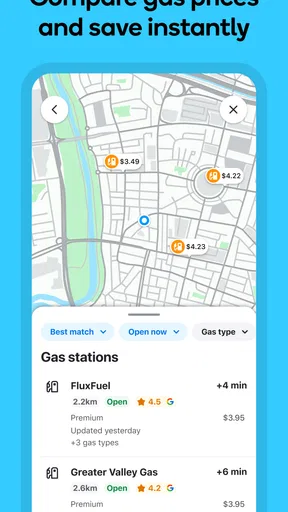
Waze also integrates with your calendar and contacts, making it easy to find and navigate to your appointments or meet-ups. And if you’re someone who loves to save on gas, Waze shows you the cheapest gas stations along your route. Who doesn’t love a good bargain?
Those conveniences are most useful when they simplify a trip I have already planned. For an appointment, checking the destination before departure can prevent a last-minute search while I am on the road. For fuel, a lower listed price is only one part of the decision: a stop should make sense for the route and the time I have. I would not divert into an unfamiliar or awkward turn just to chase a small saving.
Who will appreciate it, and who may prefer another map
I would recommend Waze first to drivers who often cross busy areas, value changing traffic information, and are comfortable following voice directions with occasional safe checks of the map. It can also help people coordinating arrivals or travelling to regular appointments, because routing and ETA sharing address practical parts of a drive rather than just drawing a line between two places.
I would be more cautious about recommending it to anyone who finds a changing map, frequent alerts, or spoken prompts tiring. Drivers who need offline navigation, a particularly quiet interface, or detailed planning beyond the drive itself may be better served by another navigation option that explicitly fits those needs. Waze’s strength is its live, road-focused character; that same emphasis is not ideal when predictability and minimal stimulation matter more.
For a first try, I would choose a route I already know, set the destination while parked, and compare the app’s instructions with familiar signs. That lets me learn how its alerts and rerouting feel without relying on it in a stressful situation. If the experience is comfortable, I can then use it for a busier trip. If I find myself repeatedly checking the screen or feeling pushed into awkward detours, I would switch to a simpler route source for that journey.
Final Thoughts
In conclusion, if you’re looking for a reliable, feature-packed navigation app, Waze Navigation & Live Traffic is a solid choice. It’s not just about getting from Point A to Point B; it’s about the journey, and Waze ensures that journey is as smooth and enjoyable as possible. With its real-time updates and community-driven insights, it’s like having the entire city looking out for you. So, next time you’re heading out, why not let Waze be your co-pilot?
My recommendation comes with one qualification: I would use its live guidance as support, not as an authority that outranks road signs, safe judgment, or my own comfort. Its crowd-powered updates can make a familiar commute less frustrating, but a quieter alternative may be a better fit for someone who wants fewer prompts or needs a different kind of accessibility support. The best test is a short trip in conditions where you can safely learn how the map, voice, and route changes work for you.
Privacy and Permissions
See what permissions an app requests and how it handles your data.
- Identity
- read your own contact card
- Calendar
- read calendar events plus confidential information
- Contacts
- read your contacts
- Location
- approximate location (network-based), precise location (GPS and network-based), access extra location provider commands
- Phone
- read phone status and identity
- Camera
- take pictures and videos
- Microphone
- record audio
- Device ID & call information
- read phone status and identity
- Other
- view network connections, pair with Bluetooth devices, access Bluetooth settings, send sticky broadcast, full network access, change your audio settings, read sync settings, run at startup, draw over other apps, control vibration, prevent device from sleeping, toggle sync on and off
Verdict
Strengths of Waze Navigation & Live Traffic
- Real-time traffic updates enhance your driving experience.
- Accurate ETA predictions based on live data.
- Community-driven alerts for road hazards.
- Customizable routes to avoid tolls and highways.
- Integrates with music apps for seamless use.
Limitations of Waze Navigation & Live Traffic
- Requires a stable internet connection to function.
- Can drain battery quickly on long trips.
- Interface may be overwhelming for new users.
- Ads can be intrusive without premium version.
- Occasionally suggests longer routes.
Similar Picks in This Category
View All
Uber - Request a ride
Uber Technologies, Inc.4.7

inDrive. Rides with fair fares
® SUOL INNOVATIONS LTD4.8

Yandex Go: Taxi Food Delivery
Mikromobilnost LLC Belgrade4.8

Bolt: Request a Ride
Bolt Technology4.8

Rapido: Bike-Taxi, Auto & Cabs
Rapido Bike Taxi4.8

Yandex Maps and Navigator
Direct Cursus Computer Systems Trading LLC4.0
You May Also Like
View All
Frequently Asked Questions
What makes Waze different from other navigation apps?
Waze stands out by leveraging real-time, community-driven information. Users actively contribute data about traffic conditions, accidents, and road hazards. This crowd-sourced approach allows Waze to provide up-to-the-minute updates and suggest the fastest routes, ensuring users save time and avoid unexpected delays.
How accurate are the traffic and road alerts on Waze?
The accuracy of Waze’s traffic and road alerts is generally high, thanks to its community of millions of users who constantly update the app with real-time information. However, the effectiveness can vary depending on the activity level of users in your area, making urban areas typically more reliable than rural ones.
Does Waze use a lot of data and battery power?
Waze can be data and battery-intensive, especially during long trips. It continually uses GPS and requires an internet connection to update maps and traffic conditions. Users should consider using a car charger and monitoring data usage, especially if they have limited data plans.
Can Waze be used offline?
Waze is primarily designed for online use and requires an internet connection for real-time updates. However, it can cache data for routes planned while connected, allowing limited offline navigation. For optimal performance, staying connected to the internet is recommended.
How does Waze handle privacy and data sharing?
Waze takes privacy seriously, offering users control over their data. While it collects location and driving data to improve accuracy and service, users can adjust privacy settings to limit data sharing. Personal identifiers are generally anonymized to protect user privacy.
